Table of contents
- What problem should the plugin actually solve?
- Free plugin or another approach?
- When a plugin is solving the wrong problem
- What can go wrong when the cheaper option does not fit?
- What should you check before installing or replacing a plugin?
- When is free enough, when does paid make sense, and when is no plugin better?
- Paying for less risk can be sensible
- How do you test a plugin without risking the live website?
- How do you make the final decision without filling the site with plugin clutter?
- Free vs paid WordPress plugins when the cheaper option costs more – Frequently Asked Questions
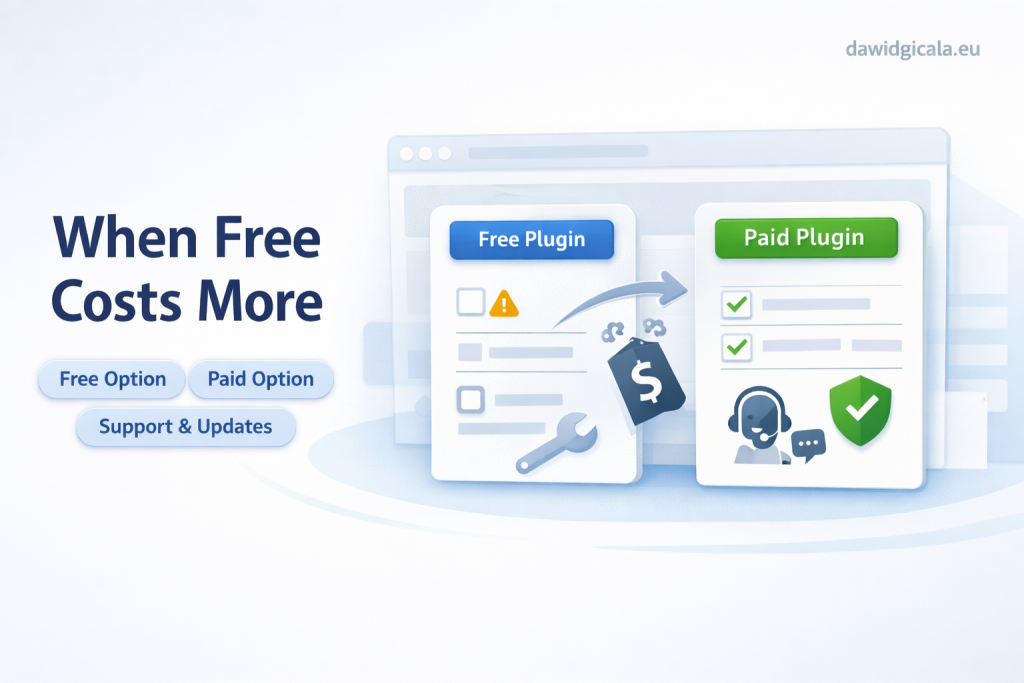
Choosing between free and paid WordPress plugins sounds simple until a small shortcut turns into a larger website problem. The real question is rarely free versus premium. It is whether the plugin solves the right problem, fits the current setup, and can still make sense when the website grows, changes, or starts to depend on it.
A cheaper plugin can become the more expensive option when it creates extra maintenance, overlaps with existing tools, or causes hidden work after launch. That happens often on business websites and WooCommerce stores, where one plugin can affect forms, checkout, speed, SEO, email delivery, or user accounts without looking risky at first.
What problem should the plugin actually solve?
Before comparing free vs paid WordPress plugins, define the job clearly. If the need is vague, the decision will usually be weak. “I need a plugin for forms” is too broad. “I need a contact form that sends reliable emails, stores consent correctly, and does not clash with the current theme” is specific enough to evaluate. A plugin should solve one real business need, not just add another menu in the dashboard.
A common mistake is installing a plugin because it seems useful, not because the website truly needs it. For example, a service business adds a pop-up plugin to collect leads, then discovers the existing form builder already had a simple lead capture option. The result is duplicate settings, more scripts on the page, and nobody remembers which form is actually connected to email notifications.
Free plugin or another approach?
Sometimes the better comparison is not free plugin versus paid plugin, but plugin versus simpler setup. A small website may not need a separate plugin at all if the task can be handled by existing theme options, a code snippet managed safely, built-in WooCommerce settings, or a feature already included in another actively used plugin. Every extra plugin adds another layer to update, test, and trust.
When a plugin is solving the wrong problem
A good example is SEO. A website owner installs an SEO plugin and expects better visibility, but the real issue is poor page structure, weak content, and unclear service pages. The plugin is not useless, but it is not the missing piece. The same happens with speed plugins: caching may help, but if oversized images, cheap hosting, and heavy page builders are the actual problem, another plugin only hides the diagnosis for a while.
What can go wrong when the cheaper option does not fit?
Free plugins can be excellent, but the risk appears when the website starts depending on a plugin that is only “good enough” for the first week. If the plugin has limited flexibility, unclear update patterns, or weak compatibility with the rest of the site, the real cost appears later as troubleshooting time. A WooCommerce shop might install a checkout extension because it is free, then notice shipping rules behave differently or coupon logic stops working as expected. The plugin did not look expensive, but the repair work is.
Another issue is data lock-in. A plugin may store content, settings, forms, or custom fields in a way that is hard to migrate later. A business site can live with that for months and only notice the problem during redesign, migration, or replacement. For instance, a booking plugin may work fine early on, but if the company later needs a different workflow, exporting data or preserving old records may become far harder than expected.
What should you check before installing or replacing a plugin?
Start with overlap. Check whether the website already has another plugin, theme function, server feature, or custom code doing part of the same job. Then check where the new plugin touches the site: forms, checkout, login, SEO, email, speed, or content editing. Also look at maintenance signals such as update history, compatibility notes, support activity, and whether the plugin seems built for long-term use rather than a one-off trick. Even without deep technical analysis, these checks can reveal whether the plugin is a realistic fit.
Next, think about replacement risk. If you remove the current plugin later, what stays and what breaks? A form plugin may be easy to swap if only one contact form exists. A plugin that controls product filters, structured data, redirects, subscriptions, or custom account areas is much harder to replace. One practical scenario: a company changes a free plugin because the interface feels limited, but forgets to test old shortcodes across service pages. After launch, key pages show empty sections and the issue is only found when leads drop. That is why replacement planning matters before installation, not after.
If a plugin decision affects your forms, checkout, SEO, speed or website structure, it is better to check the whole setup before installing another module.
When is free enough, when does paid make sense, and when is no plugin better?
Free is often enough when the need is small, the plugin has a limited scope, and the website can continue working safely if the tool is replaced later. A simple contact form, a basic redirect helper, or a straightforward admin utility may not justify paying for another subscription or license. The key is that the plugin should not become central to how the business operates unless you are comfortable with its maintenance path.
Paying for less risk can be sensible
Paid can make sense when the plugin handles a business-critical area and the cost is really paying for stability, support, and time saved. That does not mean every premium plugin is automatically safer. It means the website owner should ask a better question: if this plugin fails, how expensive is the disruption? For example, a free plugin may run fine on a brochure website, but on a growing store with complex checkout behavior, a paid option may be easier to justify because the cost of broken orders is higher than the plugin fee. And sometimes the smartest option is no plugin at all, especially when the request is minor and a simpler manual setup avoids future clutter.
How do you test a plugin without risking the live website?
The safest approach is to test on a staging copy first, especially when the plugin affects user-facing actions. Focus on the journeys that matter most: submitting forms, placing orders, using coupons, logging in, resetting passwords, filtering products, and checking mobile behavior. Do not stop at “the plugin activates correctly.” The real test is whether the website still behaves normally with the plugin active. A cache plugin, for example, may improve one landing page while breaking dynamic cart content or delaying form confirmation messages. That is a partial success, not a clean result.
Keep the test simple and structured. Activate the plugin, change only what is necessary, and document what was modified. Then compare the before and after state. A common problem appears when several changes happen at once: a plugin is installed, settings are adjusted, another plugin is updated, and the theme is tweaked on the same day. When something breaks, nobody knows why. A better method is controlled testing, one variable at a time. That saves far more time than guessing through plugin conflicts later.
How do you make the final decision without filling the site with plugin clutter?
A useful final check is to ask whether the plugin earns its place on the website. Does it solve a meaningful issue, reduce manual work, or support a business process that already exists? Or does it only add more configuration for a feature used once a month? Small websites often collect plugins because each one solves a tiny annoyance, but together they create a dashboard that nobody fully understands. That increases update risk and makes future redesigns slower and more expensive.
If you are comparing free vs paid WordPress plugins, the strongest decision usually comes from looking at the whole setup instead of the plugin alone. A lean website with fewer dependencies is easier to maintain than a site patched with overlapping add-ons. That is also why a broader technical review can be more valuable than another plugin search. On dawidgicala.eu, the practical goal is usually the same: keep the website clear, manageable, and less fragile as it grows.
When a plugin choice starts to affect how the website works, guessing usually creates more work later. A quick technical look can often save a messy installation.
Free vs paid WordPress plugins when the cheaper option costs more – Frequently Asked Questions
Plugin decisions often look small at first, but they can affect much more than one feature. These common questions help clarify when a free option is enough and when a cheaper choice may create more work later.
Is a free WordPress plugin automatically riskier than a paid one?
No. A free plugin is not automatically worse, and a paid plugin is not automatically safer. The real issue is fit, maintenance, and dependency. If the plugin affects an important business function, the risk comes from using the wrong tool, not just from the price.
How do I know if I actually need another plugin?
Start by checking whether the website already has that function somewhere else. Themes, WooCommerce settings, existing plugins, hosting tools, or a small custom adjustment may already cover the need. If adding the plugin creates feature overlap, it may be unnecessary.
Can a cheap or free plugin slow down my website?
Yes, but not every time. The bigger concern is whether it adds scripts, database load, background tasks, or frontend elements in places that matter. A plugin can seem harmless on one page and still create issues on checkout, account pages, or mobile layouts.
What should I test before replacing a plugin on a live website?
Test the user paths connected to that plugin, not just the admin settings. Check forms, email delivery, login, product pages, checkout, redirects, and any shortcodes or blocks used across the site. Also verify whether old content still works after the switch.
When does paying for a plugin make more sense than staying free?
Paying usually makes more sense when the plugin supports a business-critical process and failure would cost more than the license. That can include sales, bookings, lead capture, customer accounts, or workflows that staff use every day. The decision should be based on operational risk, not just features.
What is the biggest hidden cost of choosing the wrong plugin?
Usually it is not the plugin price. It is the time spent fixing conflicts, cleaning up unused settings, replacing broken layouts, migrating data, or explaining to clients why something that “worked before” stopped working after an update. That is where the cheaper option can end up costing more.
MY SERVICES
Choose the service that fits your project
Choose the area where you need a concrete implementation, better results or further development.
Search engine optimization
Content, landing pages, internal linking and ongoing organic visibility growth.
View SEO servicesWordPress & WooCommerce Websites
New websites and online stores, technical improvements and further development.
View website servicesGoogle Ads | Offer
Campaign setup, management and ongoing optimisation.
View Google Ads servicesSponsored posts and link building
Publications, content and external links matched to your industry and project.
View link building services