Elementor vs Gutenberg. If your website feels slow, the real question is rarely “Elementor or Gutenberg?” – it’s what your pages force the browser to load and calculate. Gutenberg is usually lighter out of the box, but Elementor can still be fast when you build with restraint: fewer widgets, fewer add-ons, fewer animations, a lightweight theme, and a sane plugin stack.
In this guide, you’ll see where each option typically wins, what slows Elementor down most often, and how to pick the right tool per page type (homepage, landing page, blog, WooCommerce). The goal isn’t chasing perfect scores — it’s getting a site that loads fast, feels responsive, and is easy to maintain without constant firefighting.

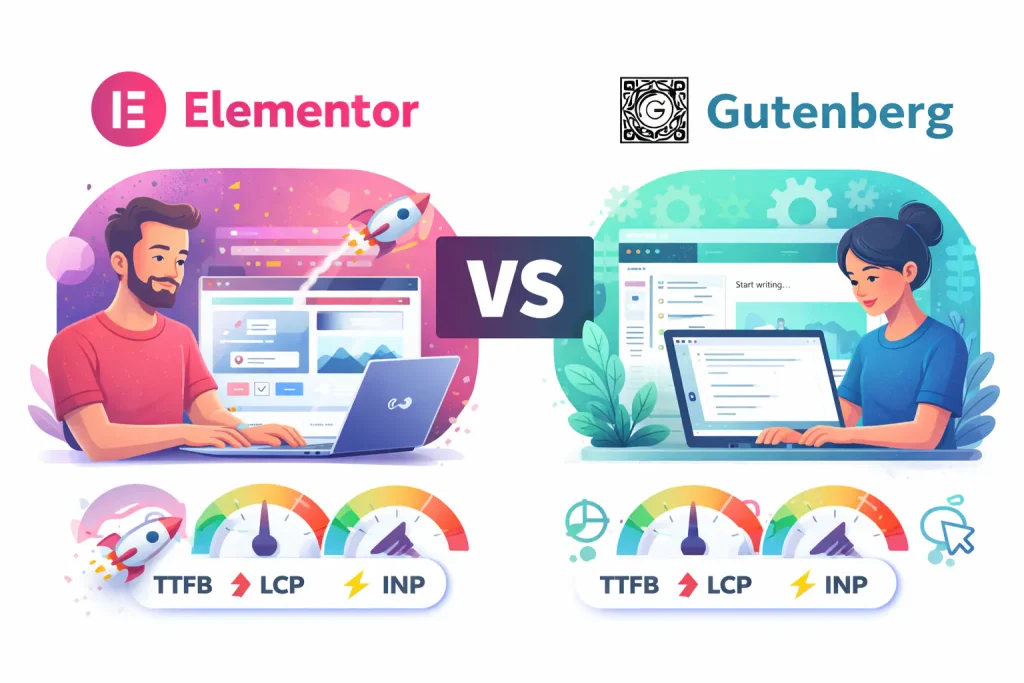
Elementor vs Gutenberg – what “faster website” really means (TTFB, LCP, INP)
A “fast website” is not just a nice-looking PageSpeed score. In real life, speed means: how quickly your server responds (TTFB), how quickly the main content becomes visible (LCP), and how responsive the site feels when someone clicks, scrolls, or types (INP). Elementor vs Gutenberg mainly affects the front-end workload: how much CSS/JS gets loaded, how complex the DOM becomes, and how much the browser has to calculate before the page is truly usable. Hosting and caching can help a lot, but if the page is built with heavy structure and too many scripts, you’ll always be fighting an uphill battle.
When Gutenberg is usually faster – simple pages, fewer scripts, cleaner output
Gutenberg often wins on speed because it’s native to WordPress and typically adds less overhead on the front end. There’s no extra builder layer, usually less JavaScript to run, and fewer style files to manage. For service pages, blog posts, and content-heavy sites, it’s easier to keep things lightweight and predictable. It also tends to be more stable long-term: fewer moving parts, fewer “mystery” slowdowns after updates, and fewer dependencies on third-party add-ons. If performance and simplicity are your priority, Gutenberg is the safer default.
When Elementor can still be fast – the realistic conditions (theme, hosting, restraint)
Elementor can be fast too, but only if you build with restraint. The real speed killer is the common combo: Elementor + lots of add-ons + a heavy theme + animations + popups + multiple font sources. If you pair Elementor with a lightweight theme (like Astra or GeneratePress), use containers and global styles, keep layouts simple (fewer sections, fewer widgets), and avoid “effects for the sake of effects”, you can get very solid performance. Elementor’s main advantage is design speed and flexibility for landing pages-sometimes that matters more than chasing perfect scores. In those cases, the right approach isn’t “ditch Elementor”, but “make Elementor behave like a lean system.”
The hidden performance cost: widgets, add-ons, animations, popups (and what to avoid first)
Most “Elementor is slow” cases are really “the page is overloaded.” Extra widgets, third-party add-ons, motion effects, sticky elements, entrance animations, sliders, and popups usually mean more CSS/JS and more browser work. The worst part is that these costs stack up silently. One add-on brings its own scripts, another injects styles site-wide. And suddenly even a simple page loads like a landing page from 2016. If you want the biggest speed win quickly. Start by removing anything that loads globally but is used on one page, replace sliders with static sections, avoid video backgrounds, and be ruthless with animations. Fewer fancy effects almost always beats “more optimization plugins.”
Theme choice that matters: Astra/GeneratePress/block themes + why it changes the result
Your theme is the base layer that everything sits on. A lightweight theme helps both Elementor and Gutenberg because it adds less CSS/JS, fewer layout gimmicks. And fewer “built-in features” that conflict with your builder. With Gutenberg, block themes and clean classic themes can keep output minimal and consistent. With Elementor, a lightweight theme (or a minimalist Elementor-friendly setup) reduces extra styling and prevents duplicate layout systems from fighting each other. The theme also affects typography loading, header/footer structure. And how many template parts render on every page—so it’s not a cosmetic choice. If you’re chasing real-world speed, start with a theme that doesn’t try to be a Swiss Army knife.
Core Web Vitals impact – where Elementor most often loses points and why
Elementor most often loses Core Web Vitals points in two areas: LCP and INP. LCP suffers when the hero section is heavy (large background images, videos, sliders, too many nested containers) or when CSS/JS delays rendering. INP suffers when there’s too much JavaScript running on interaction-popups, motion effects, sticky elements. Complex menus, and third-party scripts can all add latency to clicks and taps. Gutenberg usually has an easier time here because the front end is lighter by default. But it can still be slowed down by heavy themes and plugin bloat. Core Web Vitals are less about the editor and more about how much “stuff” the page forces the browser to process before it feels instant.
A practical “build style” that keeps Elementor light (containers, global styles, minimal sections)
If you want Elementor without the performance pain, the build style matters more than any single setting. Use containers (not old section/column nesting), keep the DOM shallow, and standardize spacing/typography with global styles instead of per-widget overrides. Avoid stacking multiple inner sections just to “nudge things into place”. That usually creates a bloated structure that the browser has to compute. Keep layouts simple: fewer sections, fewer widgets, fewer custom breakpoints. Also, watch what loads site-wide: if a widget or add-on injects scripts globally, it’s a tax on every page, not just one.
A practical “build style” for Gutenberg that doesn’t look like a template (patterns, reusable blocks)
Gutenberg is fastest when you lean into patterns and reusable blocks instead of rebuilding every layout manually. Use a small set of solid patterns for hero, services, testimonials, and FAQs, then keep content consistent across pages. That consistency improves speed and maintenance: fewer one-off styles, fewer hacks, fewer surprises. To avoid the “default blocks” look, focus on a strong typography system, good spacing rules, and a clean set of block styles—then you can build pages that feel custom without adding heavy builders. The goal is not “no design”, it’s “design with constraints” so the output stays lean.
Elementor vs Gutenberg – page types comparison: homepage, landing page, blog post, product page – what to use where
You don’t have to pick one tool for the entire site. A common practical setup is: Gutenberg for blog posts and content pages (fast, clean, easy long-term). And Elementor for marketing landing pages where layout flexibility matters more. For WooCommerce product/category pages, Gutenberg often pairs well with a lightweight theme and selective enhancements. But Elementor can be fine if you don’t overbuild templates and you keep dynamic widgets under control. The homepage can go either way: Gutenberg for a lean “content-first” homepage. Elementor if you need custom sections and frequent layout changes. The fastest sites usually aren’t “100% one builder” – they’re built with a clear rule: use the lightest tool that still fits the job.
Elementor vs Gutenberg – plugin stack that makes or breaks speed (cache, image optimization, font handling)
Even the cleanest Gutenberg site can feel slow if the plugin stack is messy—and the same applies to Elementor. Keep it boring: one solid caching solution (not three overlapping ones), proper image optimization (WebP + resizing + lazy load where it helps), and sensible font handling (local fonts, limited weights, no “five font families because it looks cool”). Be careful with “optimization packs” that inject scripts everywhere, and with features that duplicate what your host or theme already does. The fastest setup is usually the simplest: fewer plugins, fewer features running globally, and clear ownership of each job (cache, images, security, SEO).
Migration options: Elementor → Gutenberg (partial rebuild vs full rebuild, what to plan)
Migrating from Elementor to Gutenberg can be painless or a total rebuild—depending on how your site is structured. If Elementor is used only for a few landing pages, you can keep those and move the rest of the site to Gutenberg gradually. If Elementor templates control most of the site (headers, footers, archives, single posts/products), a full rebuild is often cleaner than trying to “convert” everything. Plan it like a redesign: map templates, decide what stays, what gets rebuilt, and how you’ll handle styling (typography, spacing, buttons) so pages look consistent. Also plan redirects and SEO-safe rollout if URLs or structure change.
Elementor vs Gutenberg – most common questions
People usually ask this comparison because their site feels slow, not because they care about the editor itself. The truth is: both can be fast, but they “fail” in different ways-usually because of themes, plugins, and how the pages are built. Here are the questions that come up most often.
Is Gutenberg always faster than Elementor?
Not always, but it often is faster by default because it adds less front-end overhead. Elementor can still be fast if you build lean and avoid heavy add-ons, animations, and bloated templates.
If I switch from Elementor to Gutenberg, will my speed problems disappear?
Sometimes—but only if Elementor overhead is the main bottleneck. If the real issue is hosting, huge images, too many plugins, or heavy third-party scripts, the site can stay slow after the switch.
Is Elementor Pro heavier than Elementor Free?
Pro itself isn’t automatically “slow,” but it unlocks features (Theme Builder, popups, forms) that can add scripts and complexity if overused. A lean Pro setup can still be fast.
What’s a fast, safe baseline setup for either option?
Lightweight theme (Astra/GeneratePress or a clean block theme), one caching solution, optimized images (WebP + sizing), local fonts with limited weights, and a minimal plugin stack. The fewer site-wide scripts you load, the easier it is to stay fast.
How do I decide quickly which one to use for my next site?
If you want maximum speed and simplicity long-term, start with Gutenberg. If you need to iterate layouts fast and you can keep the build disciplined, Elementor is fine—just treat performance as a build rule, not an afterthought.