Table of contents
- Why this integration starts making sense
- Do you need it or are you just adding complexity?
- What usually happens in a real lead flow?
- What to prepare before you connect anything
- How the setup usually works in practice?
- Where these setups most often go wrong
- When a simpler option is the better choice
- A quick way to decide if this is worth doing
- Website Contact Form to CRM Integration – frequently asked questions
If your website contact form is still sending messages only to an inbox, you are probably losing time on work that could happen automatically in the background. A simple connection between your WordPress website and a CRM can turn each form submission into a structured lead, assign it to the right person, and keep your follow-up process consistent from the first message. From my perspective, this is one of the most useful integrations for service businesses, because it removes repeated manual tasks without forcing you into a heavy or overly technical setup.
Why this integration starts making sense
Connecting a website contact form to a CRM makes sense when your form is no longer just a way to receive messages, but a real starting point for sales or customer communication. If you want every enquiry to land in one place, be tagged properly, and move into a simple pipeline without copying data by hand, this kind of automation quickly becomes practical. It is especially useful when more than one person handles leads, when response time matters, or when you want to avoid the common situation where a message sits in somebody’s inbox and quietly disappears.
Do you need it or are you just adding complexity?
Not every website needs a CRM connection from day one. If you receive a few enquiries per month, reply personally, and never lose track of conversations, a normal email notification may still be enough. The problem usually starts when your form submissions become frequent, when you have to forward messages internally, or when lead details end up scattered across inboxes, notes, and spreadsheets.
A good rule is to look at what happens after somebody clicks send. If you manually copy the name, email, service type, and message into another system, then assign the lead to someone, then send a confirmation or reminder, you already have a repeatable process. Once a process repeats often enough, automation is usually not adding complexity but removing it. On the other hand, if you are trying to build a multi-step setup before you even know how you want to handle leads, you are probably solving the wrong problem too early.
What usually happens in a real lead flow?
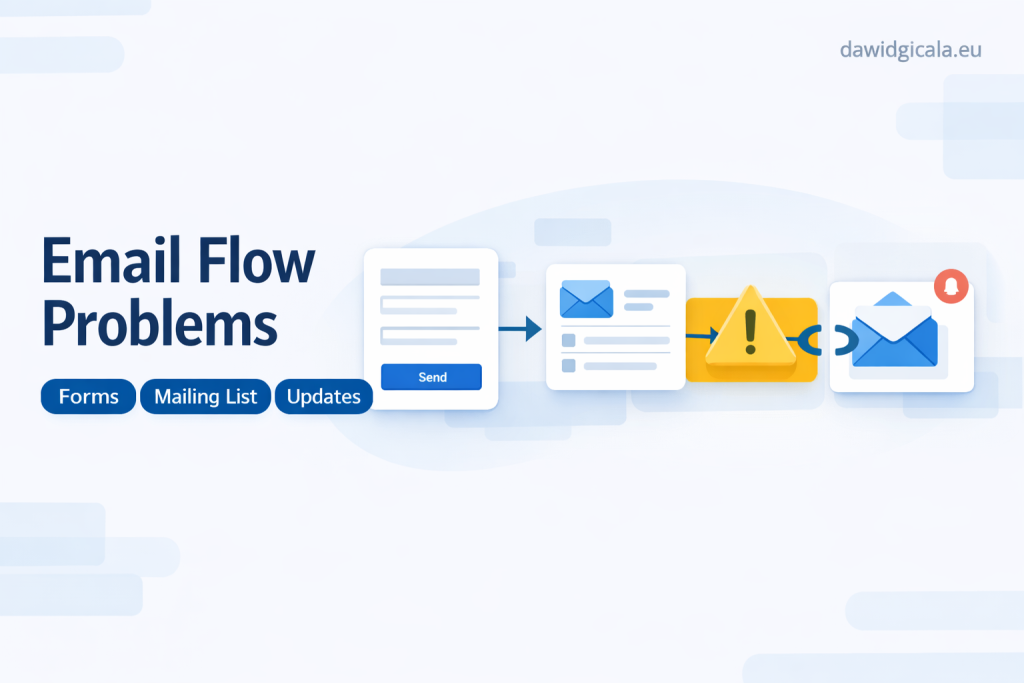
The most common scenario is very simple. A visitor fills in a contact form, chooses a topic or service, adds a short description, and submits the enquiry. The website sends the form data to a CRM, creates a new contact or lead, and places that lead in the right stage so you do not have to re-enter anything manually.
Automatic assignment usually comes from one or two practical conditions rather than from anything advanced. If the visitor selects a certain service, location, or budget range, the lead can go directly to the person responsible for that area. In practice, the goal is not to build a complex decision engine but to make sure each enquiry reaches the right place fast, with enough context to begin a conversation without extra admin work.
See more about my website work.
What to prepare before you connect anything
Before the integration itself, you need clarity on what information the form should collect and what the CRM should do with it. This means deciding which fields are actually useful, which are optional, and what should happen when the form is submitted. If your form asks for random details that nobody uses later, the CRM will only become a storage space for clutter rather than a useful tool for handling leads.
You also need to define ownership and next action. Who should receive the lead, and based on what rule? Should every new submission create a fresh record, or should the system try to match an existing contact first? These decisions matter more than the tool you choose, because a clean process with a basic integration usually works better than an advanced setup built on vague assumptions.
How the setup usually works in practice?
In a normal WordPress setup, the contact form collects the data, an integration layer passes that data forward, and the CRM receives it in a structured format. The CRM then decides what to do with it based on simple logic such as service category, source, or team member availability. For you, the practical result should be straightforward: a lead appears in the right place with the right details attached.
At this stage, field mapping is where many projects either become useful or quietly break later. The name, email, phone number, service interest, and message need to match proper CRM fields, not just be pushed into one long note. If the data lands in messy or inconsistent places, the integration may technically work while still creating confusion for whoever has to follow up on the lead.
After that, it helps to add only one or two supporting actions that genuinely save time. That could mean an internal notification for the assigned person, a basic acknowledgement sent to the visitor, or a tag showing that the lead came through the website. Once those basics work reliably, you can judge whether anything else is really needed instead of stacking extra automations just because they are available.
Where these setups most often go wrong
The most common issue is trying to automate too many edge cases too early. People often want the system to split leads by service, urgency, region, budget, language, and several custom conditions before they even know whether the form itself is collecting reliable information. If the input is inconsistent, the automation will also be inconsistent, and then the CRM starts creating friction instead of order.
Another frequent problem is forgetting about everyday reliability. Emails may still need proper sending configuration, forms may need spam protection, and duplicate records can appear if the same person submits more than once. There is also the human side of the process: if nobody checks the CRM regularly or understands how assigned leads should be handled, even a technically correct integration will not improve the business outcome very much.
When a simpler option is the better choice
Sometimes the better answer is not a CRM connection at all, at least not yet. If your website gets a low volume of enquiries and each one needs a personal review anyway, sending form submissions to a shared inbox and logging only qualified leads manually can be the cleaner option. A simpler process is easier to maintain, easier to understand, and less likely to fail silently.
I usually see overcomplication when people want automation to compensate for an unclear workflow. If you are unsure who should respond, what counts as a lead, or what happens after first contact, adding more integrations will not fix that confusion. In that situation, it is often smarter to tighten the form, reduce fields, agree on a response process, and only then connect the website to a CRM when the pattern is stable.
A quick way to decide if this is worth doing
If your website regularly brings in enquiries, if you are manually moving contact details into another system, and if leads need to be assigned or tracked in a more organised way, this integration is probably worth it. If your current process works only because one person remembers everything, you already have a weak point that automation can strengthen. But if your lead flow is still very small or undefined, keep it simple first and introduce the CRM connection when it solves a clear daily problem rather than a hypothetical one.
Get in touch about your setup.
Website Contact Form to CRM Integration – frequently asked questions
If you are considering this setup, the practical questions usually matter more than the technical jargon. What you really want to know is whether it will save time, stay reliable, and fit the way you already work.
Can a contact form send leads directly to a CRM?
Yes, in many cases it can. The form data can be passed into a CRM automatically so a new contact or lead is created without manual copying.
Should every form submission create a new lead?
Not always. If somebody already exists in your CRM, it is often better to update the existing record or attach a new activity instead of creating duplicates.
How do leads get assigned automatically?
Assignment usually happens based on simple rules such as selected service, location, or another field in the form. The goal is to route the enquiry to the right person with as little manual handling as possible.
What information should the form send to the CRM?
You should send only the data that is genuinely useful for follow-up. That usually includes name, email, phone, message content, service interest, and sometimes the source of the enquiry.
Is this setup too much for a small business website?
Not necessarily. If you are already copying leads manually or missing follow-ups, even a small business can benefit from a simple and well-planned integration.
What is the biggest mistake in this kind of automation?
The biggest mistake is building too much logic before the lead process is clear. A basic and reliable setup is usually more valuable than an advanced workflow that nobody trusts or maintains.
MY SERVICES
Choose the service that fits your project
Choose the area where you need a concrete implementation, better results or further development.
Search engine optimization
Content, landing pages, internal linking and ongoing organic visibility growth.
View SEO servicesWordPress & WooCommerce Websites
New websites and online stores, technical improvements and further development.
View website servicesGoogle Ads | Offer
Campaign setup, management and ongoing optimisation.
View Google Ads servicesSponsored posts and link building
Publications, content and external links matched to your industry and project.
View link building services