WooCommerce search intent. If your WooCommerce store gets traffic but sales stay flat, there’s a good chance the problem isn’t “SEO”, it’s intent. People search with a goal: to buy, to compare, or to learn. When your page doesn’t match that goal, Google might still send visitors… but they bounce, don’t click products, and don’t convert.
This is where WooCommerce search intent becomes the difference between “nice charts” and real revenue.
What is it and why does it matter?
WooCommerce search intent is simply the “why” behind a Google search. Is the person trying to buy right now, compare options, find a specific brand, or just learn? When your page matches that intent, people stay, click deeper, and convert. When it doesn’t, you can get traffic that “looks good” in Search Console… but brings almost no sales.
In WooCommerce, intent matters even more because Google can rank different page types for the same topic: product pages, category pages, “best of” guides, reviews, comparisons, or FAQs. If your store ranks a category page for a query where Google clearly prefers “comparison/review” content, you’ll keep fighting the algorithm and the user at the same time. Understanding what Google tries to surface (and why) is the fastest way to stop guessing and build pages that actually win.
How does it work in practice?
In practice, intent is something you confirm in Google, not something you guess from a keyword list. You type the phrase in, scan the first page, and ask one simple question: what kind of pages keep showing up at the top? If the results are mostly category pages, Google thinks people want to browse options. If they’re mostly articles, comparisons, or “best” lists, Google thinks people want help choosing before they buy. This is the quickest reality check before you touch anything on the store.
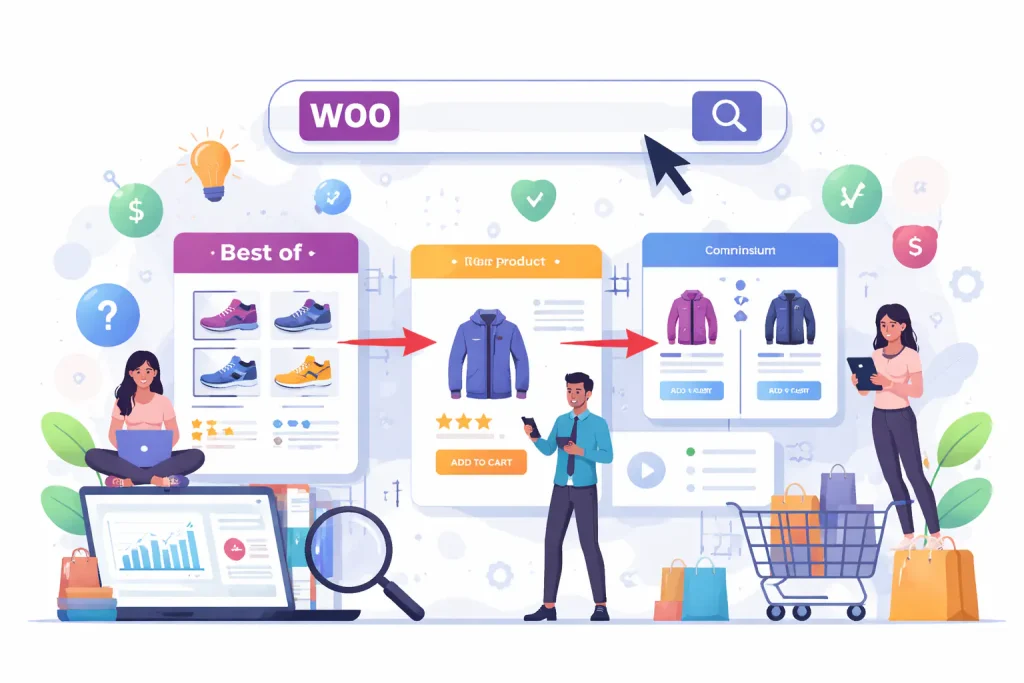
For WooCommerce stores, the main idea is to match the page type to the searcher’s goal. A “ready to buy” query should land on a page that makes buying easy (clear offer, variants, shipping/returns, strong product info). A “deciding” query needs a page that helps compare and choose (explanations, recommendations, context). A “learning” query needs content that answers the question clearly and then guides the user deeper into the store with internal links. When you respect that logic, Google understands your site faster, and users feel like they landed in the right place.
Where stores get it wrong is trying to force one page to satisfy every intent. They push huge blocks of text into category pages, or they try to rank a product page for a query that clearly needs a guide. The better approach is simple: let each intent have its own “best” page, and connect them with internal links so people naturally move from research to purchase.
Why is it worth using?
Because it fixes the most painful WooCommerce problem: “I have SEO traffic, but it doesn’t buy.” When intent matches, you usually see higher add-to-cart rate, more product views per session, and fewer “empty” clicks that bounce after 5 seconds.
It also makes your SEO work cleaner and easier: you stop stuffing category pages with random text, you build the right supporting content around categories, and you avoid wasting months optimizing a page type that Google simply doesn’t want to rank for that query.
How to implement it step by step?
Start with the keyword (or topic) and check the SERP before you touch your store. Google the phrase and look at what dominates the top results: is it mostly category pages, product pages, or articles/guides? That tells you what Google believes people want for that query, and it prevents the classic WooCommerce mistake of trying to rank the wrong page type.
Next, map intent to an actual WooCommerce structure. If the query looks “buy-now”, make sure the landing page makes buying easy (clear title, variants, shipping/returns info, strong product copy, internal links to related items). If it looks “I’m comparing”, don’t force it into a thin category page, build a helpful category guide or a comparison-style page that naturally funnels people into products and categories. Then connect it all with internal linking: guide → category, category → best subcategories, category → key products. This is exactly how ecommerce SEO becomes sales SEO, not “traffic for traffic”.
Finally, keep it measurable. In Google Search Console, check which queries a page is already showing for, and whether they match the page’s purpose. If a page is ranking for “research” queries but it’s a hard-sell page, you’ll see clicks without results. That’s your signal to adjust the page type or the content blocks, not just “add more keywords”.
Common mistakes and how to avoid them?
The biggest mistake is trying to make one page match every intent. Stores often push a long SEO text into a category page and expect it to rank for “buy”, “best”, “review”, and “how to choose” queries at the same time. Google usually prefers different page formats for different intents, so you end up ranking lower and converting worse, even if the keyword is “right”.
The second common trap in WooCommerce is index bloat from filters (faceted navigation): hundreds or thousands of crawlable URLs that are basically the same page with a slightly different filter. That can dilute relevance, waste crawl budget, and create duplicate pages competing with each other. The fix is to decide which filtered URLs should be discoverable for users but not indexed, and use the controls Google recommends for managing faceted navigation and crawling
How does it impact results / sales / SEO / usability?
When intent matches, your store becomes easier to understand for both Google and people. Google is trying to return results that best match meaning and relevance for the searcher, so a page that fits the “job” behind the query is more likely to rank and stay stable. For users, it feels like “this is exactly what I meant”, which usually means more product views, more add-to-carts, and fewer empty visits.
It also improves usability without forcing “SEO content” everywhere. Instead of stuffing category pages with random paragraphs, you build a clean path: research content for research intent, category pages for browsing intent, product pages for buying intent, and you connect them with internal links. That reduces confusion, helps shoppers choose faster, and supports the bigger ecommerce SEO goal: traffic that actually turns into revenue.
When is it especially worth applying?
You’ll get the biggest win from WooCommerce search intent when your store has a lot of SEO traffic but weak sales, or when you see people landing on pages that clearly aren’t built for what they searched. Google’s own explanation of “how search works” is basically this: it tries to understand the meaning and intent behind a query and match it to the most useful type of content. If your page type is wrong, you’re fighting the current.
It’s also especially worth doing when your catalog grows (more categories, more similar products) and you start creating “SEO chaos” without noticing: multiple pages trying to rank for the same topic, thin categories, duplicated content, and lots of filter URLs. In ecommerce, that’s a common turning point: you don’t need “more keywords”, you need clearer intent mapping so Google and users understand where to go.
How to combine it with other tools / strategies?
The most practical combo is: Search Console + GA4 + your internal site search. Search Console tells you what queries bring impressions/clicks, GA4 tells you what those people do after landing, and internal search shows what visitors still can’t find once they’re on the site. When you connect these, you can spot intent mismatches fast (e.g., “people search to compare” → they land → they bounce; or “people want a specific item” → they land on a broad category). This is exactly the kind of “SEO basics that turn into revenue” approach WooCommerce pushes for ecommerce.
Then tie it into your content structure: use informational content to pull in “research” queries, and link it intentionally into category/product pages that satisfy “buy/browse” intent. Ahrefs also highlights that intent is about what the searcher is trying to achiev, so you should build content that matches that goal, not just repeat keywords.
What to do when you see problems or errors?
If you rank but don’t convert, do a quick “intent diagnosis”: open Search Console for the page, look at the top queries, and ask: do these queries match what this page helps the user do? If not, you have two clean options: adjust the page so it actually serves that intent, or stop forcing it and create the right page type (guide/comparison/category/product) and internally link toward it. This is also where “intent shift” matters—sometimes the SERP changes and your once-good page becomes the wrong fit.
If the problem looks like “too many similar URLs” (often filters), follow Google’s faceted navigation guidance: decide which filter URLs should be indexable (only the ones with real search demand and unique value) and control crawling/indexing for the rest. Otherwise you can end up with duplicate pages competing with each other and wasting crawl resources.
Who should implement it / who can help?
If you’re a small store owner and you’re okay with basics in WordPress, you can do the first pass yourself: check the SERP, decide whether the query needs a product page, category page, or a guide, then tighten the page so it actually matches what people came for. The tricky part starts when you have more categories, lots of filters, or pages competing with each other — then “intent work” quickly turns into a mix of SEO + structure + indexing rules. Google’s own documentation around crawling/indexing and faceted navigation shows how easily ecommerce sites can create thousands of low-value URLs if this isn’t controlled.
That’s when it makes sense to bring in someone who can look at the store as a system: which pages should rank for which intent, how to connect them internally, and how to prevent SEO dilution from filters and duplicates.

WooCommerce search intent – frequently asked questions
WooCommerce search intent. Below are the questions I hear most often from WooCommerce store owners. The common theme is simple: you don’t need “more SEO”, you need the right page for the right query, and clear signals for Google and users. Search intent is the fastest way to stop guessing and start building pages that sell.
How do I quickly check the intent of a keyword?
Google it and look at what dominates the top results (products, categories, guides, comparisons). The SERP is the fastest “vote” on what people actually want.
What’s the safest way to handle filters (size, color, price) for SEO?
Treat most filter URLs as “for users, not for Google” to avoid thousands of near-duplicate pages; only allow indexing for a small set of filtered pages that have real search demand and unique value.
How do I stop pages competing with each other (cannibalization)?
Pick one “main” page per intent/topic and make other pages support it with internal links and clearer focus. When multiple similar URLs exist (often from parameters/filters), reduce duplicates and control crawling/indexing.
What content should a category page include to match intent?
Enough to help people choose: a short intro, key differences, who it’s for, what to look at, and internal links to subcategories and best products—written like guidance, not filler text.
How long until intent fixes show results?
You often see early SEO signals in Search Console within a few weeks, but stability can take longer depending on crawl/indexing and how big the change is. Conversion improvements can show up faster if the landing page finally matches what visitors wanted.