Table of contents
- What is WooCommerce performance optimisation and why it matters?
- How website speed affects your WooCommerce store in practice?
- Why you should focus on improving your WooCommerce store performance?
- How to speed up your WooCommerce store without losing quality?
- Common mistakes that slow down WooCommerce stores
- How faster performance improves SEO, conversions and customer experience?
- When it’s especially important to optimise your WooCommerce store?
- How to combine performance optimisation with other tools and strategies?
- What to do if something goes wrong after optimisation?
- Who can help you optimise your WooCommerce store?
- WooCommerce store – Frequently Asked Questions
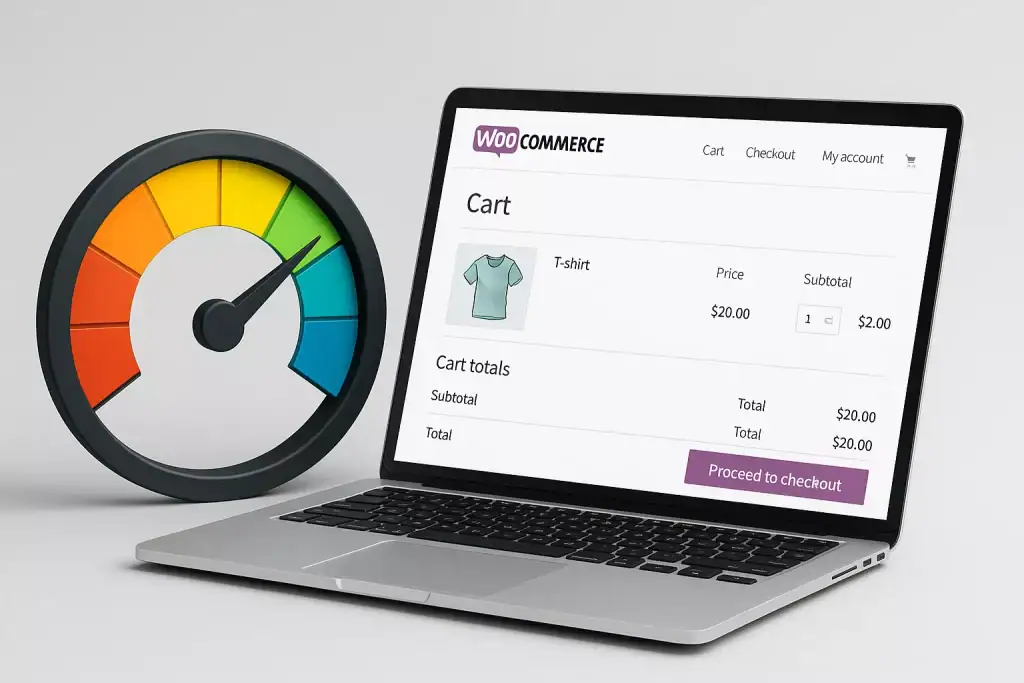
A slow WooCommerce store can cost you customers, sales and visibility. Every second counts, not only for your visitors but also for search engines that measure website performance. In this guide, you’ll learn how to make your WooCommerce store load faster without losing image quality, design or functionality. These are practical, easy-to-apply steps that any store owner can follow to build a smoother and more reliable online shopping experience.
What is WooCommerce performance optimisation and why it matters?
When your WooCommerce store takes too long to load, potential customers lose patience. They close the tab, move to a competitor, and you lose a sale before the page even appears. Speed is one of the most important factors in building trust online. A fast-loading store feels professional, reliable and safe to shop in.
Website performance isn’t just about user experience – it’s also about visibility. Search engines like Google use loading speed as one of their ranking signals. The faster your store loads, the higher it can appear in search results. That means more visitors, better engagement and more sales.
How website speed affects your WooCommerce store in practice?
Speed is often the invisible barrier between a visitor and a purchase. If a customer clicks on a product and has to wait more than a few seconds, they are likely to give up. A slow WooCommerce store not only frustrates people but also increases bounce rate and lowers conversions.
Unlike a simple WordPress website, a WooCommerce store loads a lot more data – product images, filters, cart functions, stock information, dynamic content. Every piece of that data has to be processed by your server and browser. If the hosting is weak or the theme is overloaded with unnecessary scripts, the entire experience starts to drag.
Fast websites, on the other hand, make buying feel effortless. Pages open instantly, navigation feels smooth and checkout happens without delay. That’s what builds customer confidence and repeat purchases.
Why you should focus on improving your WooCommerce store performance?
Speed has a direct impact on every part of your business – from how search engines see your website to how users behave once they visit. A well-optimised WooCommerce store loads quickly without losing the visual quality of images or design. You don’t need to choose between beauty and performance. With the right setup, you can have both.
A faster store means happier customers, fewer abandoned carts and stronger results from ads and SEO campaigns. Every second saved makes it easier for people to browse, explore and buy.
How to speed up your WooCommerce store without losing quality?
The key to improving speed is balance. You don’t need to strip your store down or lower image quality to make it faster. What matters most is how everything behind the scenes is configured.
Start by making sure your hosting can handle WooCommerce efficiently. A good server should offer fast response times, caching and updated PHP versions. Slow hosting is often the silent killer of performance. Next, focus on your theme and plugins. A lightweight, well-coded theme will load faster than a bulky multipurpose one. Deactivate plugins that you don’t use and replace outdated ones that slow your site down.
Images are another big factor. Instead of uploading them as they come from your camera or designer, compress them first and use modern formats like WebP. Lazy loading ensures that pictures appear only when the visitor scrolls to them, reducing the initial load time without sacrificing clarity.
If all of this sounds complicated, it’s not. With the right setup and tools, you can have a WooCommerce store that loads instantly and still looks just as good as before.
Common mistakes that slow down WooCommerce stores
Many store owners try to fix performance by adding more plugins. Unfortunately, that often makes things worse. Every plugin adds extra scripts, requests and database calls that slow the site down. The goal isn’t to have as many features as possible but to have only the ones your customers truly need.
Another common mistake is using uncompressed images or skipping caching altogether. Large images can double your loading time, and without caching, every visit reloads everything from scratch. Poorly chosen themes can also cause issues – some include heavy animations and effects that look nice but cost you precious seconds.
Finally, ignoring regular maintenance can undo all your optimisation work. Updates, backups and database cleaning keep your WooCommerce store running smoothly. Treat performance like routine care, not a one-time project.
How faster performance improves SEO, conversions and customer experience?
A fast WooCommerce store directly improves your visibility in search engines. Google and other platforms prioritise websites that load quickly because they create a better user experience. When your store appears higher in results, more people visit, and those visitors are more likely to stay.
Speed also influences how people behave once they arrive. When pages open instantly, customers browse more products, spend more time on your site and complete their purchases with less hesitation. The result is higher conversion rates and better revenue without any extra advertising spend.
The benefits don’t stop there. A responsive, smooth store leaves a positive impression that encourages repeat customers and word-of-mouth recommendations. It’s a simple improvement with long-term results.
When it’s especially important to optimise your WooCommerce store?
Store speed becomes critical during periods of high traffic. Sales campaigns, seasonal promotions or holiday shopping can quickly overload your website if it’s not prepared. Even a few seconds of delay during checkout can make customers abandon their carts and look elsewhere.
It’s also important to optimise when you add new features, install several plugins, or upload many high-quality product photos. Each change adds weight to your website, and without proper optimisation it can quietly slow everything down. Making small performance improvements along the way is always easier than fixing major slowdowns later.
How to combine performance optimisation with other tools and strategies?
Performance should never exist in isolation. It’s most effective when it supports your broader marketing and SEO efforts. A fast WooCommerce store helps your content rank higher, but it also makes visitors more engaged once they arrive. Pairing optimisation with clear navigation, well-written product descriptions and mobile-friendly design creates a complete experience.
You can also combine it with automation and analytics tools. Monitor which pages load the slowest, test how visitors behave, and make small data-driven adjustments. Performance work is ongoing – every improvement adds up to smoother customer journeys and more consistent results.
What to do if something goes wrong after optimisation?
Sometimes, after making performance changes, you may notice that a layout looks off or a function doesn’t work as expected. It can happen when caching, minifying scripts or updating plugins. The first step is to stay calm and troubleshoot logically. Clear your cache, deactivate the last plugin you changed, and check whether the issue disappears.
Always make a full backup before you start any major optimisation work. That way, even if something goes wrong, you can restore the store to its previous version in minutes. It’s also a good idea to test changes on a staging site rather than your live shop – especially during busy sales periods.
If the problem persists, ask for professional help. Sometimes a small configuration conflict can cause big trouble, but it’s usually easy to fix once identified.
Who can help you optimise your WooCommerce store?
You don’t need to be a developer to have a fast and reliable WooCommerce store. What you do need is someone who understands how WordPress and WooCommerce work together under the hood. Many speed problems come from small technical details – misconfigured caching, poor hosting, heavy themes or unnecessary scripts.
Working with a specialist saves you time and stress. Instead of guessing what’s wrong, you get a clear plan and visible results. A professional can audit your site, fix performance bottlenecks, improve stability and keep your store fast as it grows.
If you want your WooCommerce store to load quickly, run smoothly and convert better – let’s work together to make it happen.
WooCommerce store – Frequently Asked Questions
Below are some of the most common questions from shop owners who want to make their WooCommerce stores faster without compromising quality.
How fast should a WooCommerce store load?
Ideally, your store should load in under three seconds. Anything longer increases the chance that visitors will leave before the page appears.
Do I need expensive hosting to get good speed?
Not necessarily, but quality hosting matters. A reliable provider with solid caching, updated PHP and SSD storage can drastically improve performance.
Can I keep my high-quality images?
Yes. You can use compression tools and modern formats like WebP to make files lighter without visible loss of quality.
What’s the easiest way to start improving speed?
Begin with your hosting, theme and images. These three areas usually make the biggest difference right away.
Will optimisation affect my SEO?
Absolutely – in a positive way. Faster websites rank higher, which means more organic visitors and better visibility.
What if my store looks fine but still loads slowly?
Sometimes, the problem is hidden in the background. Database queries, third-party scripts or tracking codes can slow your site down. A short audit will reveal what needs fixing.
How often should I check performance?
At least a few times per year, and always after installing new plugins, uploading many products or updating your theme.
Can someone do this for me?
Of course. If you prefer to focus on your business instead of technical setup, I can handle the optimisation for you – quickly and safely.
MY SERVICES
Choose the service that fits your project
Choose the area where you need a concrete implementation, better results or further development.
Search engine optimization
Content, landing pages, internal linking and ongoing organic visibility growth.
View SEO servicesWordPress & WooCommerce Websites
New websites and online stores, technical improvements and further development.
View website servicesGoogle Ads | Offer
Campaign setup, management and ongoing optimisation.
View Google Ads servicesSponsored posts and link building
Publications, content and external links matched to your industry and project.
View link building services