Table of contents
- What Is Local SEO and Why Is It Important?
- How Does Local SEO Work in Practice?
- Why Is Local SEO Worth Using for Your Business?
- How to Implement Local SEO in WordPress Step by Step?
- Common Local SEO Mistakes and How to Avoid Them
- How Local SEO Affects Rankings, Traffic, and Sales?
- When Is Local SEO Especially Important?
- How to Combine Local SEO with Other Tools and Strategies?
- What to Do If Local SEO Is Not Working Properly?
- Local SEO in WordPress – Frequently Asked Questions
If you run a local business, visibility in Google is not “nice to have”, it’s often the difference between getting calls and being invisible. Local SEO in WordPress is about making your services and location crystal clear, matching your website with your Google Business Profile, and removing the small inconsistencies that quietly kill trust. In this guide, you’ll learn practical steps you can apply without being technical, plus the most common mistakes to avoid so your site can support real local leads, not just traffic.
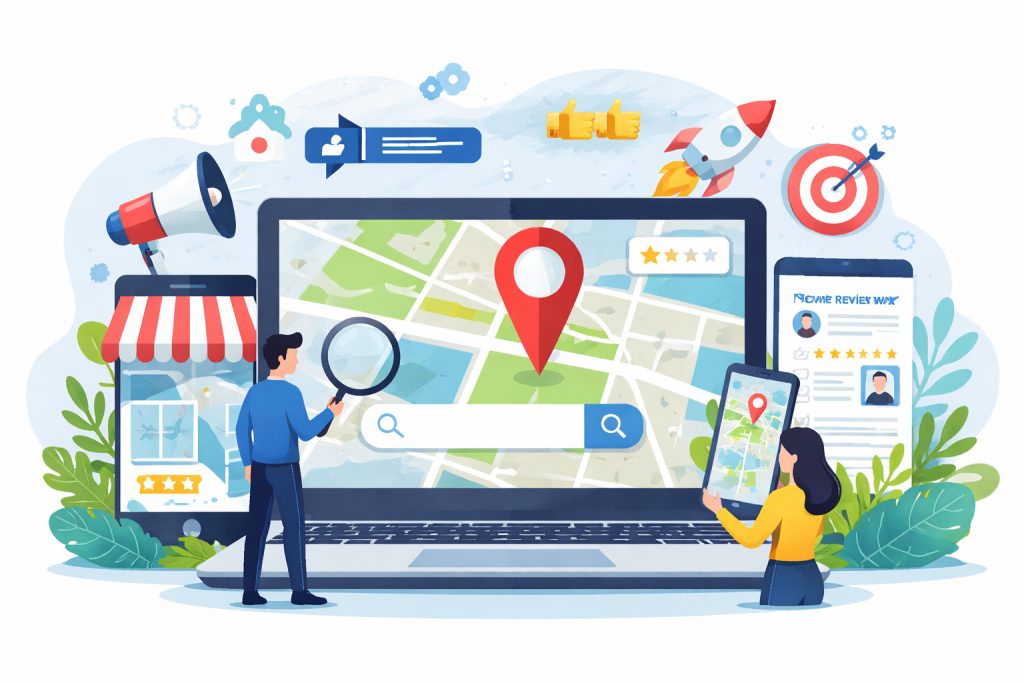
What Is Local SEO and Why Is It Important?
Local SEO is the set of actions that helps your business show up when people search with local intent, for example “dentist near me”, “accountant in [city]”, or “pizza [district]”. In practice, it’s about two things at once: your Google Business Profile (what Google shows in Maps / the local pack) and your website (your WordPress pages that support what you offer and where you offer it).
Google explains local visibility mainly through three ideas: relevance (does this business match the query?), distance (how close is it to the searcher / the place searched?), and prominence (how well-known/trusted it looks online). You can’t “optimize” distance, but you can improve relevance and prominence by making your business info consistent, complete, and easy for Google to understand.
How Does Local SEO Work in Practice?
Local SEO works like signal matching. Google compares what you show in your Google Business Profile with what’s on your WordPress site and what it can find about your business across the web. When those signals align, it’s easier for Google to trust that your business is legitimate, located where it says it is, and relevant to a local search. Google itself highlights three main local ranking factors: relevance (how well you match the query), distance (how close you are), and prominence (how well-known and trusted you appear online).
In everyday terms, you usually win on basics: a complete and up-to-date Business Profile, clear service pages, and a website that makes your location and contact details obvious. Consistency matters because Google and users both hate confusion. If your name is written differently in different places, or your phone number isn’t the same everywhere, you’re creating friction and losing trust.
Why Is Local SEO Worth Using for Your Business?
Because local traffic is high-intent. People searching locally are often close to taking action: calling, asking for directions, booking, or buying. If you’re not visible in local results, you’re not “losing a bit of traffic”, you’re losing customers who are already looking for exactly what you offer.
The second reason is durability. Paid ads can work fast, but the moment you stop paying, the visibility usually drops. Local SEO is slower, but it compounds: solid on-page basics, a strong Business Profile, and growing credibility through real reviews and mentions can keep bringing leads even when you’re not actively “pushing” a campaign.
How to Implement Local SEO in WordPress Step by Step?
Start with clarity. Your WordPress site should clearly say what you do and where you do it. That means dedicated service pages written for real users, not for keywords, and location context that feels natural, not forced. A visitor should instantly understand whether you serve one city, several areas, or a wider region.
Next comes structure and signals. Your contact details should be easy to find and identical to what’s shown in your Google Business Profile. Adding proper LocalBusiness schema helps search engines read your business data correctly, while basic technical hygiene – fast loading, mobile friendliness, and clean URLs, removes unnecessary friction for both users and Google.
Finally, connect everything. Your website should support your Business Profile, not live separately from it. Consistent descriptions, matching categories, and links between the profile and relevant pages strengthen the overall local signal instead of spreading it thin.
Common Local SEO Mistakes and How to Avoid Them
One of the most common mistakes is trying to “game” locations by stuffing city names everywhere. This usually hurts readability and trust, and it rarely works long-term. Google prefers clear, honest information over artificial repetition.
Another frequent issue is neglecting updates. Businesses change hours, services, or phone numbers, but forget to update their site or Business Profile. Even small inconsistencies can slowly erode local visibility and confuse potential customers who are ready to contact you.
How Local SEO Affects Rankings, Traffic, and Sales?
When local SEO is done properly, your site and Business Profile start showing up for searches with clear intent. This doesn’t just mean more impressions, but more relevant visits from people who are already nearby and already interested. These users behave differently from generic traffic, they stay shorter, but convert more often.
Over time, this visibility translates into predictable leads. Calls, form submissions, route requests, and bookings usually increase together because they’re driven by the same local intent. Instead of chasing volume, local SEO focuses on being present at the exact moment someone needs your service.
When Is Local SEO Especially Important?
Local SEO matters most when customers choose based on proximity, trust, and availability. If people typically search “near me” or add a city name before they call, you’re in a local SEO game whether you want to be or not. This is common for services like trades, clinics, legal and accounting help, salons, fitness, and any business where someone wants a quick, reliable option close by.
It’s also especially important in competitive cities, where a small difference in visibility can decide who gets the call. When several businesses offer the same thing, the winner is often the one that looks most credible at a glance: consistent details, strong reviews, clear service information, and a site that doesn’t feel outdated or confusing.
Finally, local SEO becomes critical when your business depends on a specific service area. If you serve multiple neighborhoods or towns, you need to communicate that clearly, otherwise Google and users may assume you only operate in one spot and you’ll miss relevant searches.
How to Combine Local SEO with Other Tools and Strategies?
Local SEO works best when it’s not isolated. Your Google Business Profile and your WordPress site should “support” each other, with matching services, consistent wording, and pages that make sense for the searches you want. When someone lands on your site from local results, the page should immediately confirm they’re in the right place and make the next step easy.
Content can help too, but only if it’s purposeful. Instead of generic blog posts, local businesses usually get better results from practical pages that answer real questions people ask before they buy. That kind of content builds trust and reduces hesitation, especially when combined with visible proof like testimonials, case studies, or photos of real work.
If you run ads, local SEO still helps. Ads can drive demand, but your organic presence builds confidence. Many people click an ad, then check your Business Profile or search your brand before contacting you. When your local signals are strong, you’re not losing those “double-checkers” at the last second.
What to Do If Local SEO Is Not Working Properly?
First, don’t assume it’s “just Google.” Local visibility usually drops for practical reasons: inconsistent business details, weak location relevance on key pages, a neglected Business Profile, or a site that’s hard to use on mobile. The fastest wins often come from cleaning up basics and removing confusion rather than adding more content.
Next, think in terms of evidence. Are you actually getting impressions in local results? Are people seeing your profile but not clicking? Or are they clicking but not contacting you? Each scenario points to a different issue: visibility, trust, or conversion. Fixing the wrong layer wastes time.
If things still don’t move, treat it like a checklist audit. Confirm your NAP consistency, your service and location clarity, your profile completeness, and whether your site is technically healthy. SEO is rarely about one magic setting, it’s usually about getting many small details aligned.

Local SEO in WordPress – Frequently Asked Questions
Local SEO in WordPress is mostly about clarity and consistency. The goal is to make it easy for Google and users to understand what you offer, where you operate, and how to contact you. Below are the most common doubts that come up in practice.
Do I need a WordPress plugin for Local SEO?
Not always. A plugin helps with basics like titles, indexing control, and structured data, but it won’t replace a complete Google Business Profile and clear service/location pages.
What’s more important – my WordPress site or Google Business Profile?
For many local searches, the Business Profile is the first thing people see (Maps/local pack). Your site supports trust, explains services, and confirms relevance, so both should be consistent and linked properly.
Should I create separate pages for every city I serve?
Only if each page has real, unique value. Copy-pasting the same text and changing the city name is a common mistake and can hurt quality and trust.
Where should I place my NAP (name, address, phone) on a WordPress site?
Put it where users expect it: footer, Contact page, and ideally also near key conversion points. The most important part is that it matches your Business Profile exactly (same formatting and details).
Does adding LocalBusiness schema in WordPress really help?
It can help search engines understand your business details more clearly. It’s not a “rank boost” on its own, but it reduces ambiguity and supports consistency.
How long does Local SEO usually take to show results?
It depends on competition and your starting point. In less competitive areas you may see movement in weeks, while in competitive cities it often takes a few months of steady improvements.
Do reviews matter for Local SEO?
Yes. Reviews strongly influence trust and clicks, and they’re a major part of how users choose between similar businesses. Consistent, genuine reviews over time beat a one-time burst.
Can I do Local SEO if I don’t have a physical office customers visit?
Yes, but you need to be clear about your service area and communicate it consistently. The key is aligning your Business Profile setup and your website content with how you actually operate.
MY SERVICES
Choose the service that fits your project
Choose the area where you need a concrete implementation, better results or further development.
Search engine optimization
Content, landing pages, internal linking and ongoing organic visibility growth.
View SEO servicesWordPress & WooCommerce Websites
New websites and online stores, technical improvements and further development.
View website servicesGoogle Ads | Offer
Campaign setup, management and ongoing optimisation.
View Google Ads servicesSponsored posts and link building
Publications, content and external links matched to your industry and project.
View link building services