Table of contents
- What problem are memberships and subscriptions supposed to solve?
- WooCommerce memberships vs subscriptions: plugin versus business model
- When they overlap and when they do not
- What can go wrong when the plugin does not fit the website?
- What to check before installing or replacing the plugin
- Free, paid or no plugin at all
- When a larger setup starts to make sense
- How to test the plugin without breaking the live website
- How to make the final decision and avoid plugin clutter
- WooCommerce memberships vs subscriptions – Frequently Asked Questions
WooCommerce site owners often mix up memberships and subscriptions because both models involve repeat customers, restricted access, and ongoing value. But they solve different business problems. Installing the wrong type of plugin can create unnecessary complexity, especially if your store only needs recurring payments or only needs content access rules.
A plugin decision here is not just about adding one feature. It can affect checkout flow, customer accounts, renewal emails, access permissions, and even how your team manages products later. Before adding another extension to WooCommerce, it helps to understand whether you are selling access, recurring billing, or a combination of both.
What problem are memberships and subscriptions supposed to solve?
A subscription setup is mainly about recurring payments. The core question is: do you need to charge customers automatically every month, quarter, or year for the same product or service? If the business model depends on renewals, billing cycles, failed payment handling, or continued service while payments remain active, that points toward subscriptions. A simple example is a coffee delivery store that sends one package every month and needs the payment process to repeat without manual invoices each time.
A membership setup is more about access rules than billing itself. The main question is: do certain users need access to protected content, special pricing, private downloads, member-only pages, or selected products? A training website, for example, may want logged-in users to unlock course pages after purchase. In that case, the store may need a membership structure even if payment happens only once. That is why the difference starts with the business model, not the plugin name.
WooCommerce memberships vs subscriptions: plugin versus business model
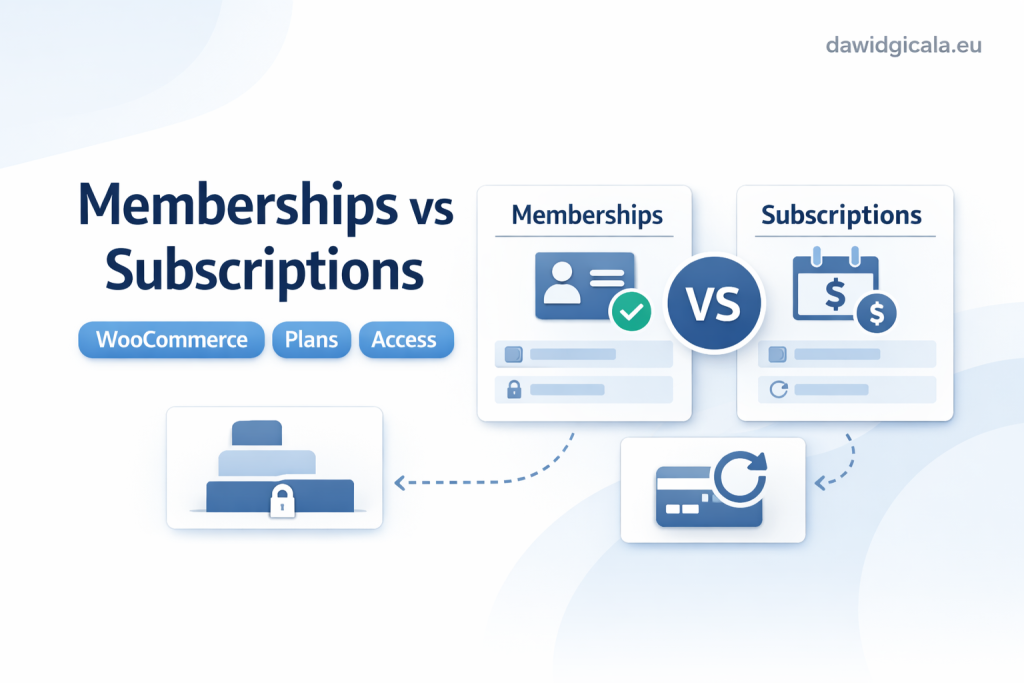
The most common mistake is treating memberships and subscriptions as competing versions of the same thing. They are not. One handles ongoing charging; the other handles ongoing permission. Some websites need only one of them. Others need both working together. A business selling a paid community may require recurring billing through a subscription model and access control through a membership model. A shop selling refill packs every 30 days may need subscriptions but no membership logic at all.
When they overlap and when they do not
The overlap creates confusion. A member area can be tied to an active subscription, but that does not mean every subscription product should create a membership account. For example, a digital publisher may charge users monthly and unlock premium articles only while the subscription remains active. That is a valid combined model. On the other hand, a wholesaler may want approved trade customers to see different prices after a one-time review process. That looks more like a membership or role-based access setup, not a subscription problem.
Another risk comes from using a plugin because the name sounds close to the goal. If the real need is simple role restriction, a full membership layer may be more than necessary. If the real need is automated renewals, trying to simulate that with manual reminders and restricted pages usually becomes messy. A practical decision starts by mapping what happens after purchase: charge again, unlock something, or both.
What can go wrong when the plugin does not fit the website?
When the wrong model is installed, the website can become harder to manage than the original problem. A store may add a membership plugin because it wants “repeat customers,” but the real issue is recurring billing. The result is a lot of access rules, account settings, and member pages without any proper renewal structure. In another case, a business may install a subscription plugin because it wants “ongoing service,” but what it really needs is to lock specific resources for approved users. The checkout may work, but the access control remains weak or inconsistent.
There is also a data and process risk. If a plugin becomes central to who can see products, who can download files, or which orders renew automatically, replacing it later is rarely clean. A small example: a coaching business creates member-only lesson pages with one plugin, then later switches systems without planning URL rules and user access migration. Customers suddenly email support because they paid, but cannot log in or find their content. A mismatch at the start often turns into extra admin work, not just a technical inconvenience.
What to check before installing or replacing the plugin
Start with five simple checks. First, define the core promise to the customer: recurring product delivery, recurring digital access, private area access, member pricing, or something else. Second, check whether your current theme, WooCommerce setup, or another plugin already handles part of that logic. Third, review where the plugin will interact with key areas such as checkout, user accounts, product visibility, and emails. Fourth, think about who will maintain the settings after launch. Fifth, ask what happens if the plugin is removed in six months.
A practical example: a store installs a plugin to create member discounts, but a separate pricing plugin is already changing prices by user role. The result is overlapping discount rules and support tickets from customers seeing different totals between category pages and cart. Another example: a subscription plugin is added, but the site’s payment method does not support the intended renewal flow in practice, so staff begin manually chasing renewals anyway. Before replacing a plugin, it is worth checking whether the problem is truly the plugin itself or an unclear setup around it.
If a plugin decision affects your forms, checkout, SEO, speed or website structure, it is better to check the whole setup before installing another module.
Free, paid or no plugin at all
Not every site needs a dedicated membership or subscription stack. Sometimes a simpler setup is safer. If you only want to hide a few pages from the public and grant access manually after purchase, a full membership system may be too much. If you only need periodic invoices for a handful of business clients, WooCommerce subscriptions may also be more than necessary. The bigger the plugin, the more settings, renewal logic, and maintenance responsibility it usually introduces.
When a larger setup starts to make sense
Paid or more advanced plugins make sense when the process would otherwise become manual, inconsistent, or risky. If customers must be billed on schedule, access must expire automatically, and failed renewals need a structured response, then a stronger recurring model is justified. A realistic example is a membership learning site that starts with manual account approvals and bank transfers. At first, it works. After growth, staff spend too much time updating access and checking payments by hand. That is the point where a plugin becomes operational support, not just extra software.
It is also valid to decide on no plugin at all for now. Some businesses are still testing demand. If only ten users need access to a private PDF area over the next month, building a full recurring system may be premature. It is better to validate the offer first than to fill WooCommerce with tools that nobody maintains later.
How to test the plugin without breaking the live website
Never treat memberships or subscriptions like a cosmetic plugin. They change business logic. Test on a staging copy if possible and walk through the full customer path: product page, cart, checkout, account creation, confirmation email, login, access after purchase, and what happens after cancellation or expiration. If the plugin changes who can see products or content, test with different user roles and with a logged-out visitor. A common problem appears when a page looks correct for the admin but fails for a normal customer.
Use short test scenarios, not assumptions. For example, create one test customer who buys a recurring product, one who cancels, and one whose access should end. If the model involves protected content, confirm that the right pages stay hidden before purchase and become available after payment. Another example: a shop adds recurring product logic and discovers that tax, shipping, or coupon rules behave differently on renewal-related orders. Good testing is less about clicking around and more about checking the full lifecycle of the customer account.
How to make the final decision and avoid plugin clutter
The cleanest decision usually comes from one sentence: What exactly continues after checkout? If the answer is “the billing,” you are mostly looking at subscriptions. If the answer is “the access,” you are mostly looking at memberships. If both continue together, then the setup may need both layers, but only if the workflow is clearly mapped first. Try not to solve a vague future idea with a heavy plugin stack today. That is how stores end up with overlapping rules, duplicate notices, and account pages nobody fully understands.
Before choosing, list what the plugin adds to admin work: settings, emails, product rules, renewal handling, access rules, reporting, and future migration difficulty. Then compare that effort with the actual value of the model. For many website owners, the right decision is not the plugin with the most options, but the one that introduces the least operational friction. If you want a second technical look before making that call, browsing dawidgicala.eu can help you frame the decision around the website structure, not just plugin labels.
When a plugin choice starts to affect how the website works, guessing usually creates more work later. A quick technical look can often save a messy installation.
WooCommerce memberships vs subscriptions – Frequently Asked Questions
Choosing between these two models is easier when you separate billing from access control. The questions below cover the practical doubts that usually appear before installation or replacement.
Do I need both memberships and subscriptions in WooCommerce?
Not always. You may only need subscriptions if the main goal is recurring payment, or only memberships if the goal is restricted access. You need both only when customer access depends on an active recurring payment.
Can I sell member-only content without a subscription?
Yes. If access is granted after a one-time purchase or manual approval, a membership-style setup may be enough. Recurring billing is only necessary if access should renew on a schedule.
What is the biggest risk of choosing the wrong plugin type?
The biggest risk is building the wrong process into checkout and customer accounts. That can lead to manual workarounds, confused customers, and a harder migration later.
Is a subscription plugin enough for a private learning area?
Not necessarily. A subscription plugin may handle recurring charges, but you still need a reliable way to control who can view the protected lessons, downloads, or pages.
Should I replace my current plugin if the setup feels messy?
Not immediately. First check whether the real problem comes from overlapping plugins, unclear product rules, or account logic that was never planned properly. Replacing the plugin without reviewing the process can make the mess bigger.
When is a simpler setup better than adding another WooCommerce plugin?
When the offer is still being tested, when the number of customers is small, or when access can be managed safely without automation. A simpler setup is often better if the plugin would add more maintenance than real business value.
MY SERVICES
Choose the service that fits your project
Choose the area where you need a concrete implementation, better results or further development.
Search engine optimization
Content, landing pages, internal linking and ongoing organic visibility growth.
View SEO servicesWordPress & WooCommerce Websites
New websites and online stores, technical improvements and further development.
View website servicesGoogle Ads | Offer
Campaign setup, management and ongoing optimisation.
View Google Ads servicesSponsored posts and link building
Publications, content and external links matched to your industry and project.
View link building services