WordPress themes for e-commerce. Your WordPress theme is the backbone of your online store. It defines how your products look, how quickly your pages load, and how professional your brand feels. Choosing the right theme for e-commerce can completely transform your store’s performance, not only visually but also technically. In this guide, you’ll learn how to select, customise and maintain a WordPress theme that’s fast, user-friendly and built to convert visitors into customers.
What are WordPress themes for e-commerce and why they matter
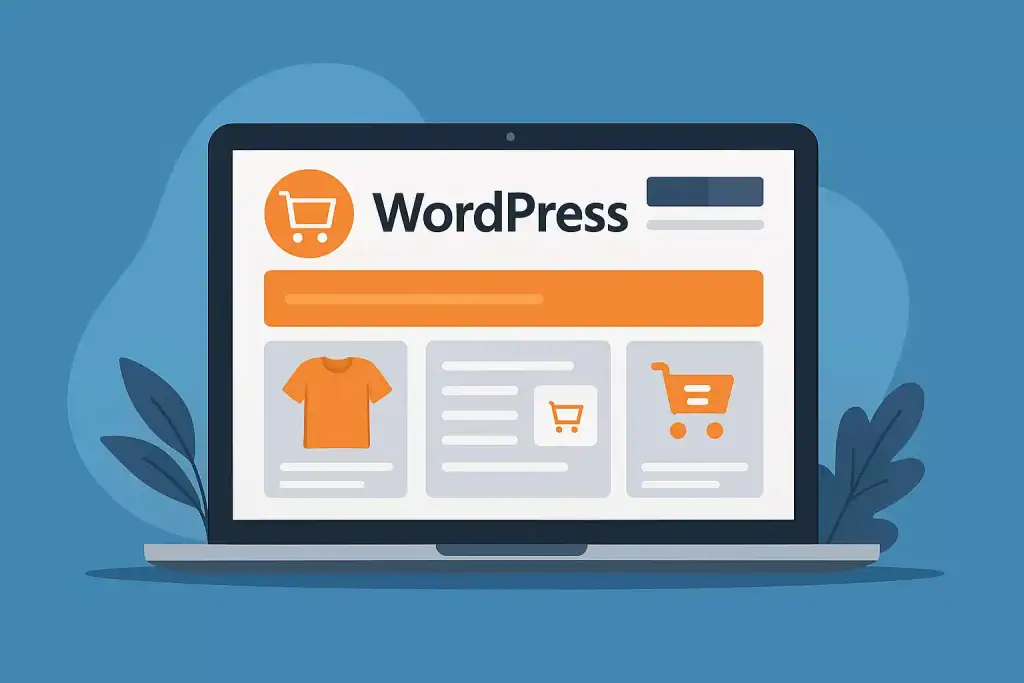
A WordPress theme is the visual and functional foundation of your online store. It shapes how your website looks, how it feels to browse, and how fast it loads. For an e-commerce business, choosing the right theme means much more than design – it’s about performance, usability, and trust.
A good e-commerce theme ensures that your products are easy to find, images display beautifully, and checkout feels smooth. The better the user experience, the higher your chance of turning visitors into paying customers. A well-optimised theme also works seamlessly with WooCommerce, payment gateways and SEO tools, helping your store grow faster and stay stable as traffic increases.
How e-commerce WordPress themes work in practice?
An e-commerce theme is more than just a template – it’s a complete system that manages your store’s structure, layout and interaction. It controls how product pages are displayed, how menus behave on mobile devices and how your site loads elements like the shopping cart or product filters.
A well-designed theme takes care of both looks and performance. It loads only the scripts and styles your store actually needs, which means faster pages and smoother browsing. Modern themes often include built-in optimisations such as lazy loading for images, lightweight code and compatibility with major page builders like Elementor or Gutenberg.
In practice, the theme you choose will directly affect your sales. A slow or confusing layout pushes people away, while a clean, fast, mobile-friendly design keeps them engaged and confident while shopping.
Why choosing the right theme is worth it?
The right theme saves you time and money in the long run. You won’t have to fight with technical issues, design bugs or plugin conflicts. Instead, you’ll have a reliable foundation that works smoothly with your content and extensions.
A fast, well-structured theme helps with SEO, improves conversions and gives your store a professional look that customers can trust. It’s one of the few choices in WordPress that can influence both your user experience and your bottom line from day one.
How to implement or apply your theme step by step
Once you’ve chosen a theme that fits your brand, the setup process should be simple and strategic. Start by installing it on a staging or test version of your website. This way, you can explore the layout, features, and compatibility with your plugins without affecting your live store.
Next, customise it carefully. Replace demo content with your actual products, logo, and colours, but keep the structure clean. Don’t overload the homepage with too many banners or animations – simplicity and clarity sell more than clutter. Test the checkout flow, product filters, and mobile layout on different devices to make sure the design feels smooth everywhere.
Finally, optimise for performance before going live. Compress your images, enable caching and minify your CSS and JavaScript. A theme might look great, but it also has to load fast. Once everything feels consistent and quick, you can confidently publish your new e-commerce design.
Most common mistakes when choosing an e-commerce theme
One of the biggest mistakes people make is picking a theme only for how it looks. Beautiful visuals are great, but if the theme isn’t lightweight or properly coded, it can quickly become slow and difficult to maintain. A slow theme can undo all your marketing and SEO work, no matter how nice it appears on the surface.
Another mistake is choosing a theme that tries to do everything. Many “all-in-one” themes come with dozens of built-in plugins, sliders, and effects that you’ll never use. Each one adds extra weight to your site and makes future updates risky. The same goes for themes that aren’t regularly maintained – outdated code can create security holes or break compatibility with WooCommerce updates.
A smart choice is to look for themes that are clean, fast, supported by developers, and well-documented. A simple and reliable theme will always perform better than one that’s overloaded with unnecessary features.
How the right theme impacts results, sales, SEO and user experience
Your theme directly affects how visitors experience your store – how fast they find products, how confident they feel at checkout, and whether they return. A good e-commerce theme creates an intuitive flow that makes shopping effortless. Every small improvement in design and speed can turn more visitors into customers.
The impact also extends to SEO. Search engines reward websites that are responsive, fast, and easy to navigate. A clean code structure and optimised images help search bots understand your content better, improving visibility and rankings.
When your design and performance work together, everything improves: conversions, trust, and customer satisfaction. Investing in the right theme is not just about style – it’s about creating a reliable engine for your business growth.
When it’s especially important to choose or change your theme
There are moments when updating or changing your theme can completely transform your store’s performance. If your current website feels slow, outdated, or difficult to manage, a fresh, modern theme can solve most of these problems instantly. You’ll notice faster load times, cleaner layouts, and better compatibility with mobile devices.
It’s also the right time to change your theme when your business grows. As you add more products, categories, and features, your old design may struggle to handle new demands. A well-optimised theme built for scalability ensures your site stays stable and professional, even as your traffic increases.
How to combine your theme choice with other tools and strategies?
Your WordPress theme should work hand in hand with the rest of your marketing and technical setup. The right theme makes it easier to apply SEO strategies, connect automation tools, and create consistent branding across your channels. It should integrate smoothly with page builders, email marketing plugins, and performance tools like caching or CDNs.
A great theme supports your workflow instead of limiting it. When everything – from your visuals to analytics works together, your store runs like a system, not a patchwork of random tools. This is how you get a site that looks good, performs well, and is easy to maintain long term.
What to do in case of problems or mismatches with your theme?
Even the best theme can cause small issues, especially after plugin updates or design changes. If your layout breaks or something doesn’t display correctly, start by checking compatibility between your theme, WooCommerce, and key plugins. Most errors come from small version conflicts that are easy to fix once you find the cause.
It’s a good habit to test any update on a staging site before applying it live. That way, you can experiment safely without affecting your customers. Keeping backups is also essential, a quick restore can save hours of troubleshooting.
If you continue to have trouble, don’t waste time guessing. A quick audit by a developer or WordPress specialist can identify the issue and restore your store’s stability faster than trying to fix it alone.
Who can help you choose and implement the right e-commerce theme
Selecting a WordPress theme might look simple, but making the right choice for an online store requires both design sense and technical knowledge. The theme you pick affects your brand image, speed, SEO, and even security, so it’s worth doing it properly from the start.
If you don’t have time to test multiple options or fine-tune performance settings, it’s a good idea to work with someone who specialises in WordPress and WooCommerce. A professional can recommend the best themes for your business model, set everything up for maximum performance, and make sure the store stays fast and stable after updates.
With expert help, you save hours of trial and error and get a store that not only looks great but also works perfectly on every device.
WordPress themes for e-commerce – Frequently Asked Questions
Below are some of the most common questions from store owners who want to pick the best WordPress theme for their online shop.
How do I know if a theme is good for e-commerce?
Look for themes officially compatible with WooCommerce and regularly updated by developers. Fast loading, responsive design and clean structure are key signs of quality.
Should I choose a free or paid theme?
Free themes can work for small stores, but premium themes usually offer better support, more features and longer update cycles – which means fewer problems in the long term.
Will a theme affect my SEO?
Yes. A lightweight, well-coded theme loads faster and helps search engines index your pages more efficiently, which leads to better rankings.
Can I change my theme later without losing data?
Yes, your products and orders will remain safe, but some design elements may need to be adjusted. Always back up your site before switching themes.
What’s more important – design or speed?
Both matter, but speed wins in the long run. A beautiful design means little if customers leave before it loads.
How often should I update my theme?
Check for updates at least once a month. Updates often include performance improvements and security patches.
What if my theme breaks after an update?
Restore your backup or contact a developer. Conflicts can usually be fixed quickly once identified.
Can someone help me choose the right theme?
Yes, I can review your store, suggest the best options for your goals, and set it all up so it’s fast, secure and easy to manage.